

Case history and EHCP tracking
A client’s case history is the clinical background behind their record — development, previous therapy, family and language context, and, for children, their EHCP — captured once in a structured place, so you’re not hunting back through old notes before an assessment or a review meeting.
The sections
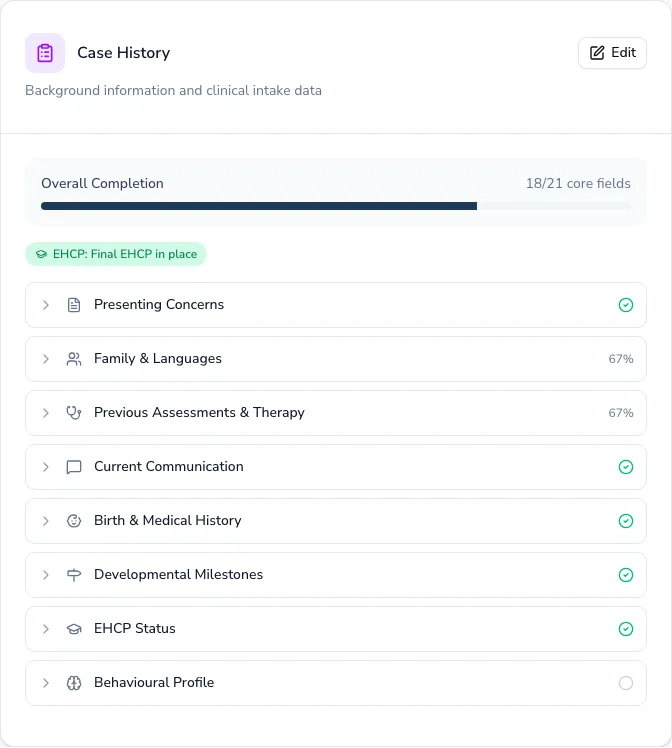
Section titled “The sections”Every client gets four shared sections: Presenting Concerns, Family & Languages, Previous Assessments & Therapy, and Current Communication.
Children additionally get Birth & Medical History, Developmental Milestones, EHCP Status, and Behavioural Profile. Adults instead get Living Situation & Occupation, Capacity & Consent, Medical History, and Swallowing.
Allergies and diagnoses recorded under Birth & Medical History also surface as badges at the top of a paediatric client’s record.
Filling it in
Section titled “Filling it in”-
On the client record, choose Start (or Edit, once something’s recorded) to open the case history.
-
Move between sections using the tabs — your answers save as you go, so switching sections or closing the form part-way through doesn’t lose your work.
-
Back on the record, expand any section to preview what’s recorded, or choose Edit Section to jump straight into it.
A progress bar tracks how much of the core information is filled in overall, and each section shows at a glance whether it’s complete, partly done, or not started.
EHCP tracking
Section titled “EHCP tracking”For children with — or working towards — an Education, Health and Care Plan, the EHCP Status section records the full picture:
- EHCP status
- Key dates: application, decision, and final issue
- The named school
- SLT provision specified in the plan
- Annual review dates — last and next
Keeping it up to date
Section titled “Keeping it up to date”When a client’s case history is incomplete, Practicos shows an alert on their record that jumps straight to the section — so you always know what’s still to capture.