

Creating invoices
Turn a client’s sessions — or a whole organisation contract — into an invoice in a couple of clicks, and keep track of everything you’ve billed in one place.
Keeping on top of billing
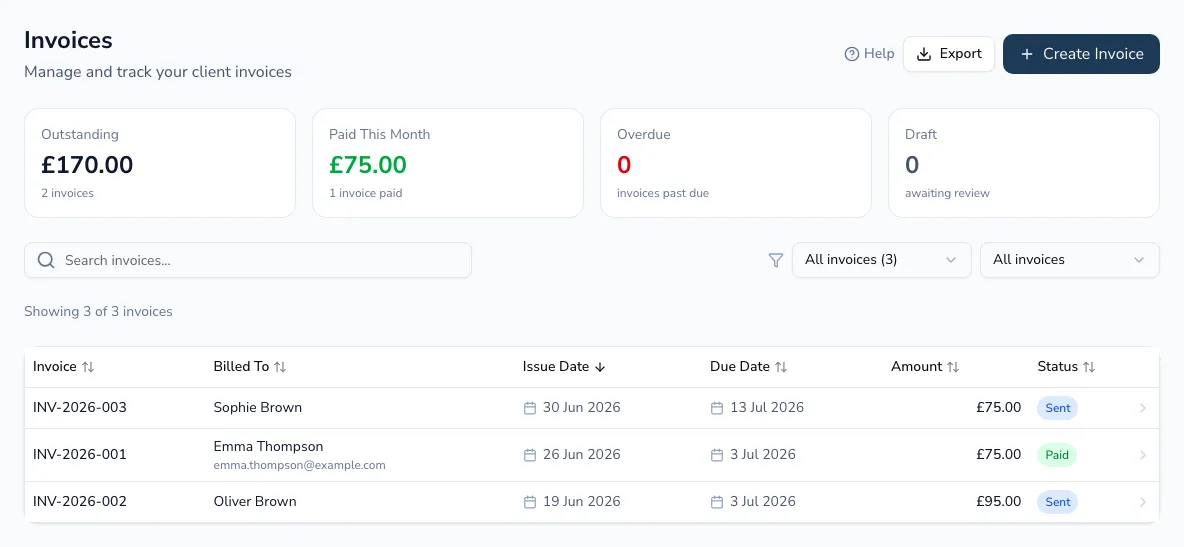
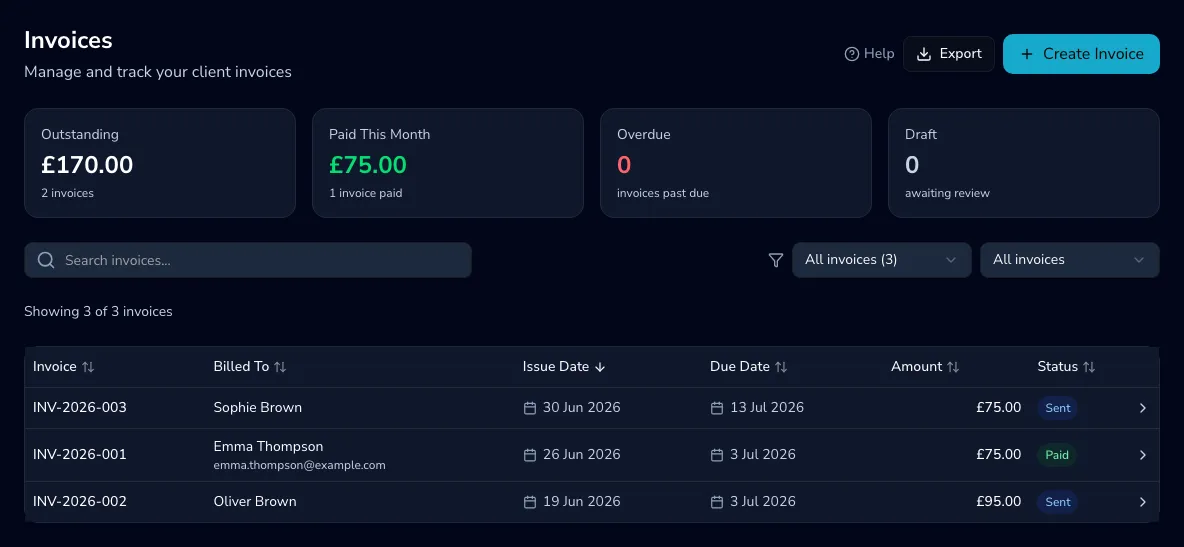
Section titled “Keeping on top of billing”The Invoices list shows everything you’ve raised, with headline totals for what’s outstanding, paid this month, overdue and still drafts. Search by invoice number, client or organisation, and filter by status, recipient type and (in team practices) therapist. Export the current view to CSV whenever you need the figures elsewhere — for your accountant, say.
Raising an invoice
Section titled “Raising an invoice”-
Choose Create invoice, then whether you’re invoicing a client or an organisation.
-
Client — select the client, then one-click add unbilled sessions. Each pulls in its description and price from the appointment’s service rate, with a separate line for any travel charge.
-
Organisation — select the organisation and, optionally, a contract, then generate from contract to pull in its uninvoiced services.
-
Adjust line items — add from a saved service rate or by hand, set each line’s VAT rate (0%, 5% or 20%), and edit descriptions and quantities.
-
Set the issue and due dates (the due date follows your default payment terms, or the organisation’s own), add any notes visible on the invoice plus your own internal notes for reference only, and save. If you’ve connected Stripe, client invoices include a payment link by default — switch it off if you’d rather not.
Invoices are always created as a draft, so you can review everything before it goes out — see Sending and getting paid.