

Invoicing settings
Your invoicing settings hold the business identity and defaults — VAT, numbering, payment terms and bank details — that appear on every invoice you send, with a live preview so you can see exactly how it will look.
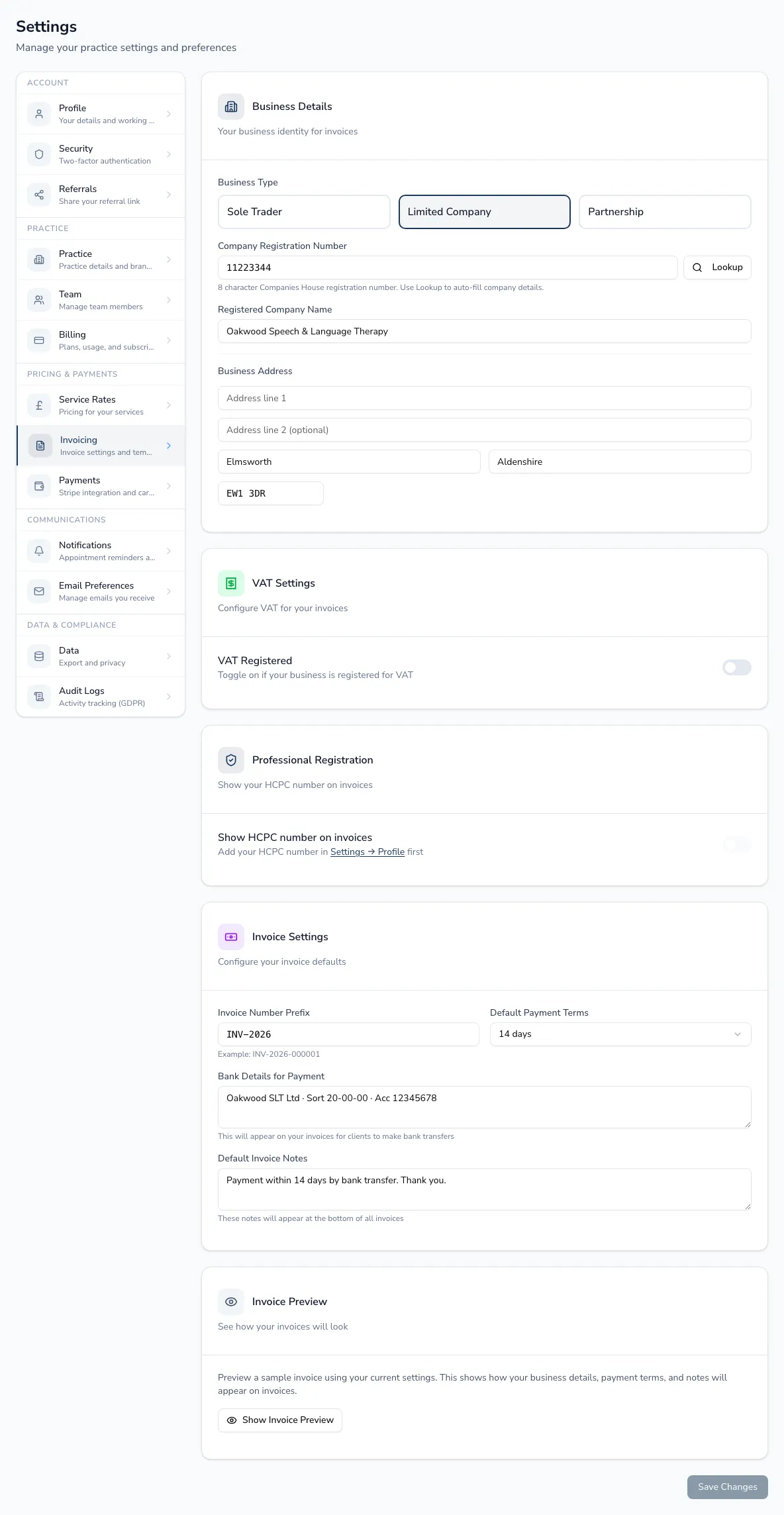
Your business details
Section titled “Your business details”Set your business type (sole trader, limited company or partnership) and trading or registered name. For limited companies, a Companies House lookup auto-fills your company number, registered name and address. Add your business address for the invoice header.
Turn on VAT-registered and enter your VAT number — this determines whether VAT is shown and charged on invoices. (Individual line items still carry their own service-rate VAT setting.)
Numbering, terms and bank details
Section titled “Numbering, terms and bank details”- Invoice prefix and sequential numbering (HMRC requires unique, sequential invoice numbers).
- Default payment terms — used to calculate due dates.
- Bank details — shown on invoices for bank-transfer payments.
- Default notes — standard wording added to each invoice.