

The organisation record
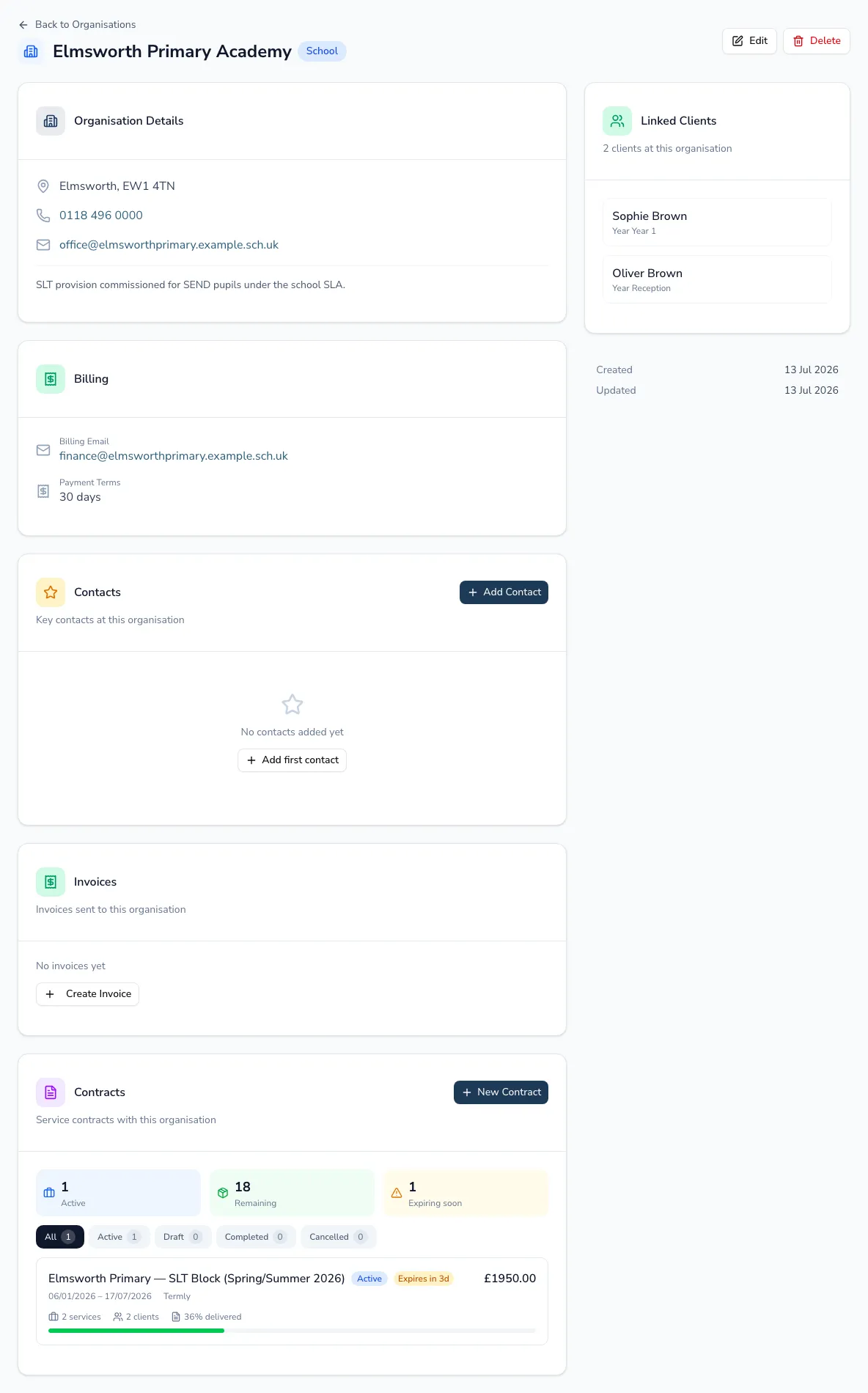
An organisation’s record pulls together everything about it — its details, contacts, billing, linked clients, invoices and contracts — so you’re not chasing a school’s paperwork across different places.
Details and billing
Section titled “Details and billing”Edit the organisation’s address, phone, email and notes. Schools also show their school type and a live link to the Ofsted report. Under billing, set the billing email, payment terms (in days) and billing address — these feed invoices you raise to the organisation.
Contacts
Section titled “Contacts”Add, edit and remove contacts. When someone leaves, choose End to move them to a Former contacts list, so the record keeps its history without cluttering your current contacts.
Linked clients
Section titled “Linked clients”The record lists the clients placed at this organisation — current and former — with year group and start/end dates, each linking through to the client.
Invoices and contracts
Section titled “Invoices and contracts”See the invoices you’ve sent this organisation (with status), and use the shortcut to create an invoice pre-filled for it. Contracts appear here too — see Contracts.