

Team notes oversight
Team notes oversight helps managers keep clinical documentation on track across the whole team, not just their own caseload. These two reports give you that practice-wide view, so a note needing a second opinion or an appointment still missing its note doesn’t just sit there unnoticed.
Notes for review
Section titled “Notes for review”A queue of signed notes waiting on a second review — useful for supervision, quality checks, or newer practitioners whose notes you want to read before they’re considered final.
Filter by practitioner, and each row shows the author, client, note type and session date, plus an age badge that changes colour as it waits — neutral at first, amber after 3 days, red after 7 — so nothing quietly grows stale. Choose Mark as reviewed to clear a note from the queue once you’ve read it.
Outstanding notes (team)
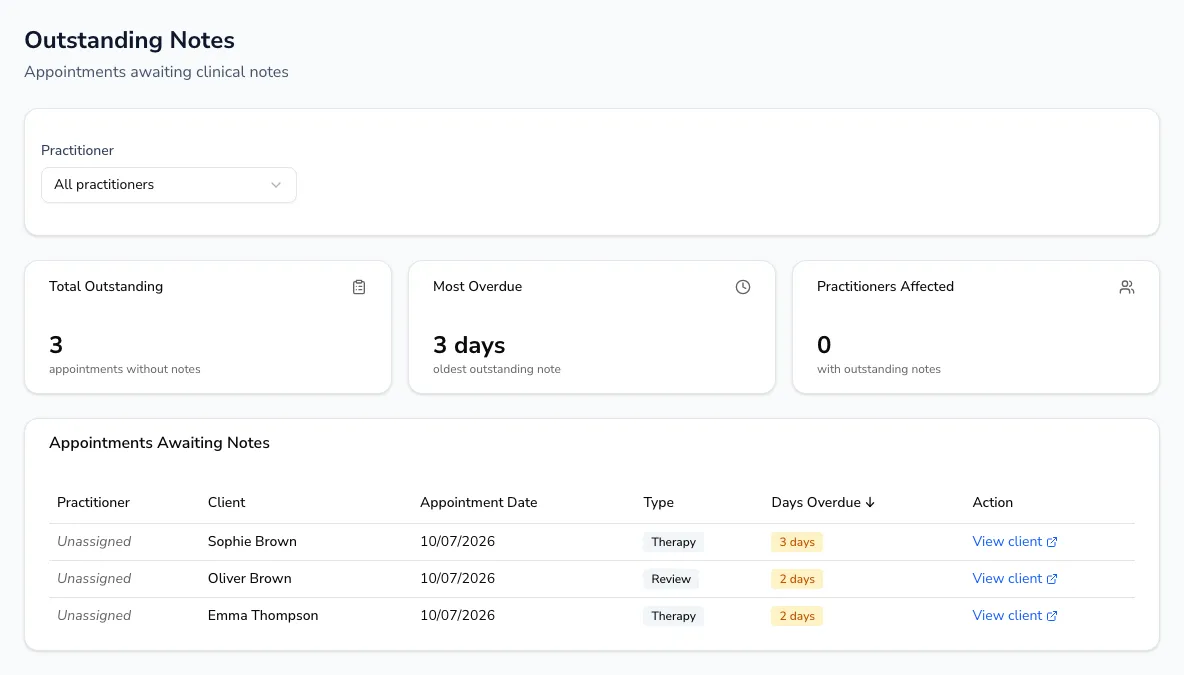
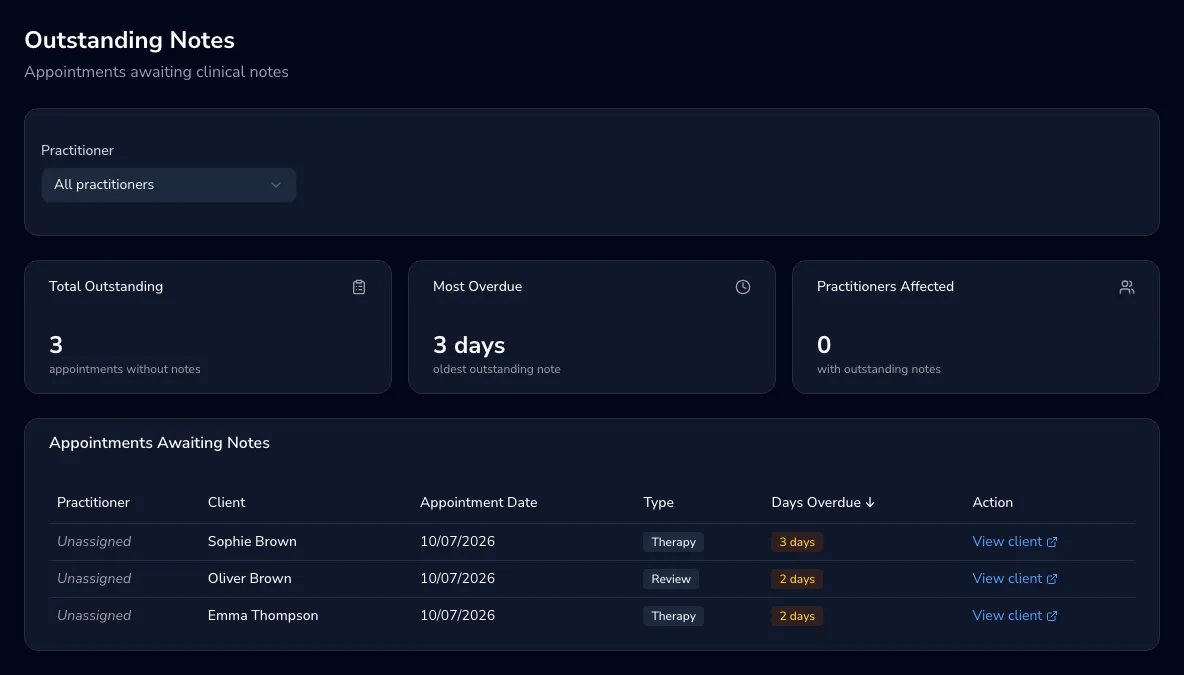
Section titled “Outstanding notes (team)”A practice-wide list of appointments across all practitioners still missing a clinical note. Filter by practitioner, and sort by days overdue, practitioner, client, date or type by clicking a column heading — click again to reverse the order. Summary cards show the total outstanding, the single most overdue appointment, and how many practitioners are affected. View client on any row jumps straight to that client’s record.
Export CSV downloads exactly what’s on screen — the current filter and sort order — with each appointment’s client, date, time, type, practitioner and days overdue, ready for a team meeting or to work through outside Practicos.
Who it’s for
Section titled “Who it’s for”Both reports are for practice owners and managers overseeing a team’s documentation — you’ll need practice-oversight permissions to see them. On a solo practice, you’ll only ever see your own notes here since there’s no one else to oversee.