

What attendees see
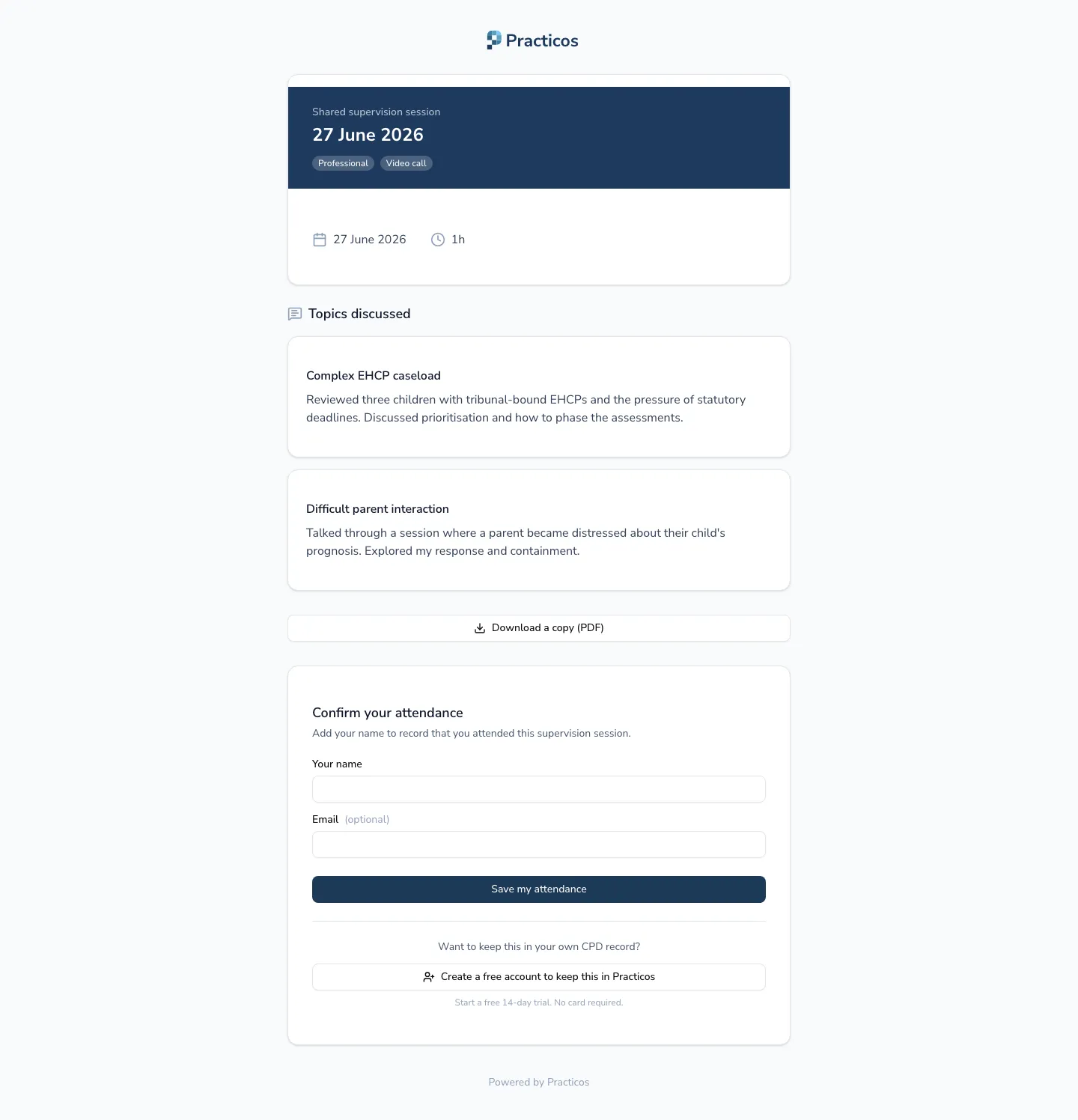
Anyone you share a supervision session with can open the link, see what was discussed, and keep their own record for their CPD — a colleague, a supervisee or a peer, without ever needing a Practicos account of their own.
Getting in
Section titled “Getting in”- The attendee opens the link you shared and enters the access code you gave them.
- Practicos checks it and shows the session. If the link is no longer active, they’ll see a message telling them so straight away. If the link is fine but the code is wrong, they stay on the code screen and are asked to check it and try again.
Once in, they see the session’s date, type and format, its duration, a session summary if you wrote one, and each topic discussed.
What they can do
Section titled “What they can do”- Download a print-ready PDF to keep — it repeats the shared facts and topics, plus blank ruled space per topic headed My reflections and Impact on my practice, ready to fill in by hand or print for a CPD folder.
- Confirm attendance. Someone without a Practicos account adds their name (and, optionally, an email address) to record that they attended — no chasing required from you. They can then create a free account to pull the session into a log of their own, carrying it across from the link they just used.
- Add it straight to their own supervision log. An attendee who’s already signed in to Practicos sees Add to my supervision log instead — one action both confirms their attendance and forks a private copy of the session into their log immediately.
Who this is for
Section titled “Who this is for”Anyone you’ve shared a session with — a supervisee, a peer in group supervision, or a colleague standing in — whether or not they use Practicos themselves. It’s the same page whichever way they arrive, so there’s nothing extra to set up for people outside your practice.