

The client record
A client record is the single place that pulls together everything about one person — their details, their history, and quick actions for your day-to-day work.
The action bar
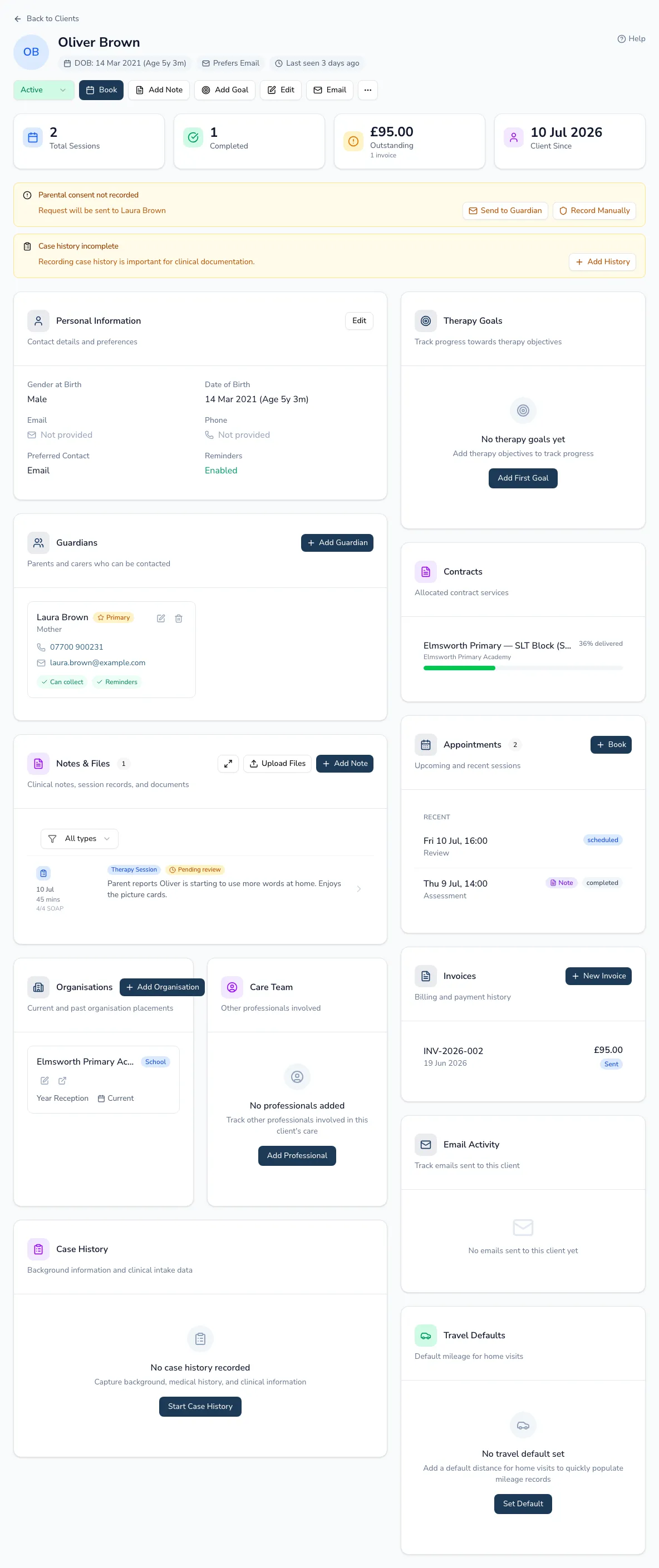
Section titled “The action bar”Along the top you’ll find the common actions:
- Change status — move the client between active, on hold, discharged and so on.
- Book appointment, Add note, Add goal — jump straight into the work.
- Edit client — update personal details.
- Send email — email the client or their guardian.
- Add sibling (children only) — create a linked client sharing the same guardians and address.
- Reassign therapist (team practices) — move the client to another practitioner; you’ll see how many future appointments will move with them.
At a glance
Section titled “At a glance”Stat cards summarise the essentials: total sessions, completed sessions, outstanding invoices (with the amount — clicking through filters invoices to this client), and client since.
Paediatric clients also surface allergy and diagnosis badges at the top, and an alert if their case history is incomplete.
Linked sections
Section titled “Linked sections”The record brings together everything connected to the client:
- Personal information — gender at birth, date of birth and age, contact details, preferred contact method, reminders on/off, and full address with a Local Authority badge. Edit it inline.
- Guardians — for children, add and manage carers and set the primary contact.
- Notes — the client’s clinical notes.
- School and other professionals — linked education and health contacts.
- Case history — the detailed clinical background.
- Therapy goals — targets and progress.
- Contracts — sessions allocated and delivered under any organisation contract.
- Appointments — combined upcoming and recent, with a “view all” option.
- Invoices and email activity for the client.
- Mileage defaults — used when you book a home or school visit.
Working from the profile
Section titled “Working from the profile”You can run most of a client’s day-to-day admin without leaving the record: book an appointment (including a recurring weekly series, co-therapists, or a linked contract service), open an appointment’s details, edit it, mark it complete or change its status, cancel a single appointment or a whole series, and update its billing. For the full detail of each of these, see Appointments.