

July 2026 update
Our biggest update yet, focused on two things: getting your practice set up with confidence, and staying on top of your day.
A new Getting started page
Section titled “A new Getting started page”There’s now a single place to set your practice up and get more from Practicos over time. It shows what’s essential, what’s recommended and what’s next — grouped by area, with a clear “do this next” prompt — and takes you straight to the right screen for each step. Postpone or hide steps that don’t apply to you (you can always bring them back), and once you’re up and running the page shifts from “get set up” to helping you make the most of Practicos.
Your dashboard and mobile Today view also carry a compact Practice Launch card showing your single next step, so the most useful action is always one glance away. It counts the essentials you’ve completed — never a misleading overall percentage — and steps aside with a quiet acknowledgement once you’re set up.
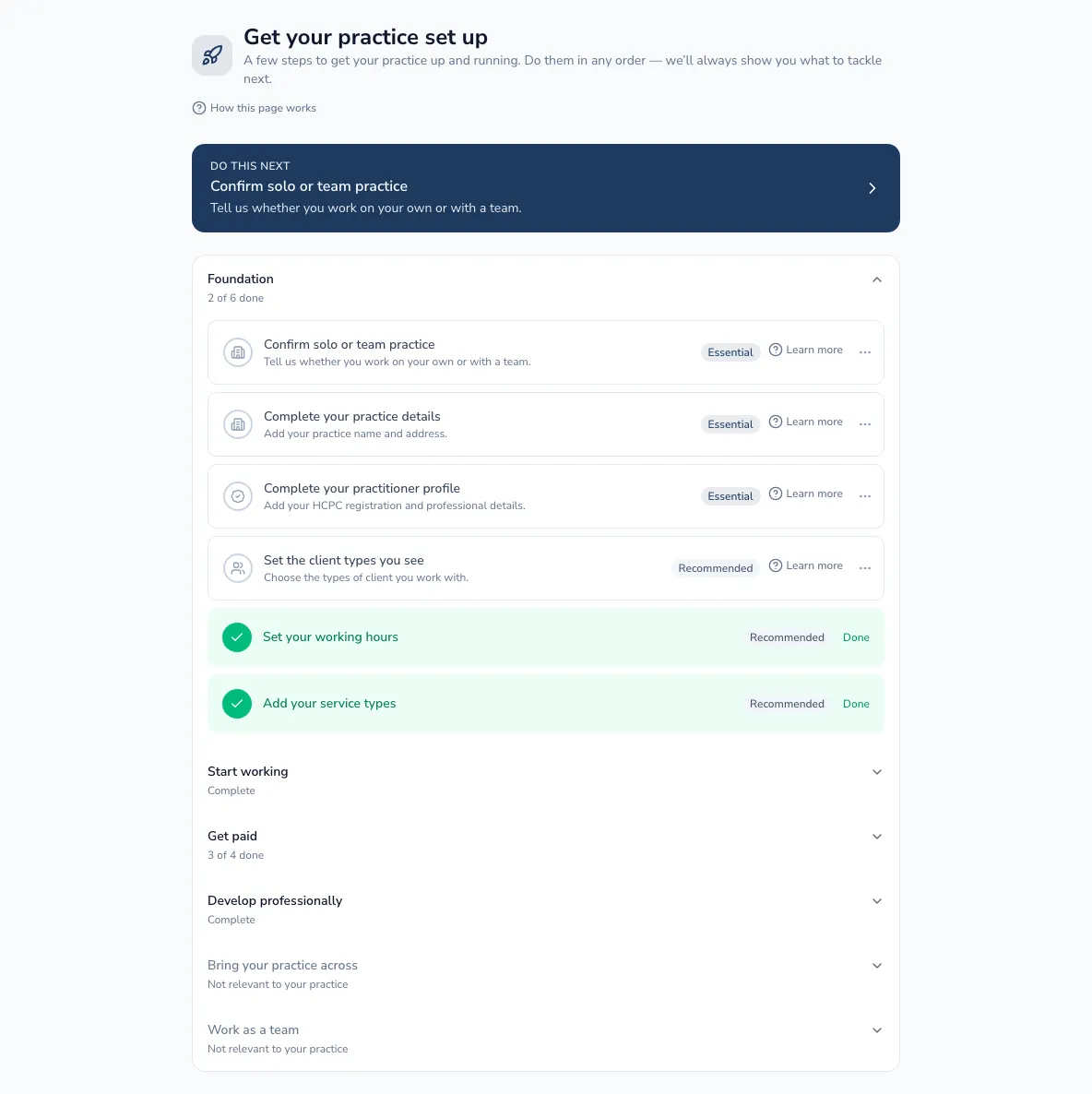
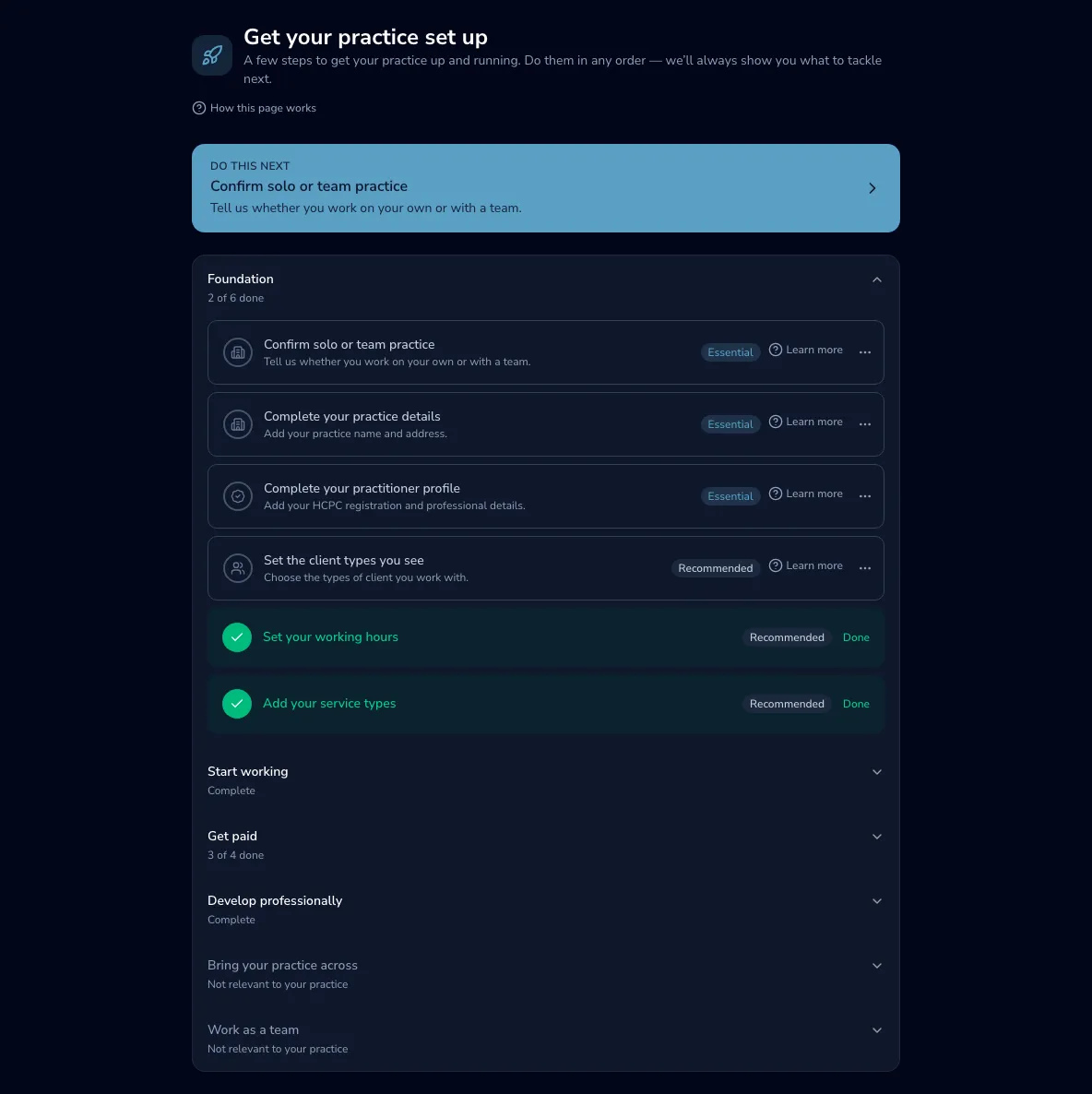
See The Getting started page and, if you’re coming from another system, Bringing your practice across.
Send tomorrow’s reminders from the Today screen
Section titled “Send tomorrow’s reminders from the Today screen”At the end of the day you can now send appointment reminders for tomorrow straight from the Today view — a Send reminder button on each of tomorrow’s appointments, or Send all to do them at once. Your next working day now always appears on Today, tucked into a section that opens as you’re winding down. These are extra reminders you send by hand; your automatic scheduled reminders carry on as normal.
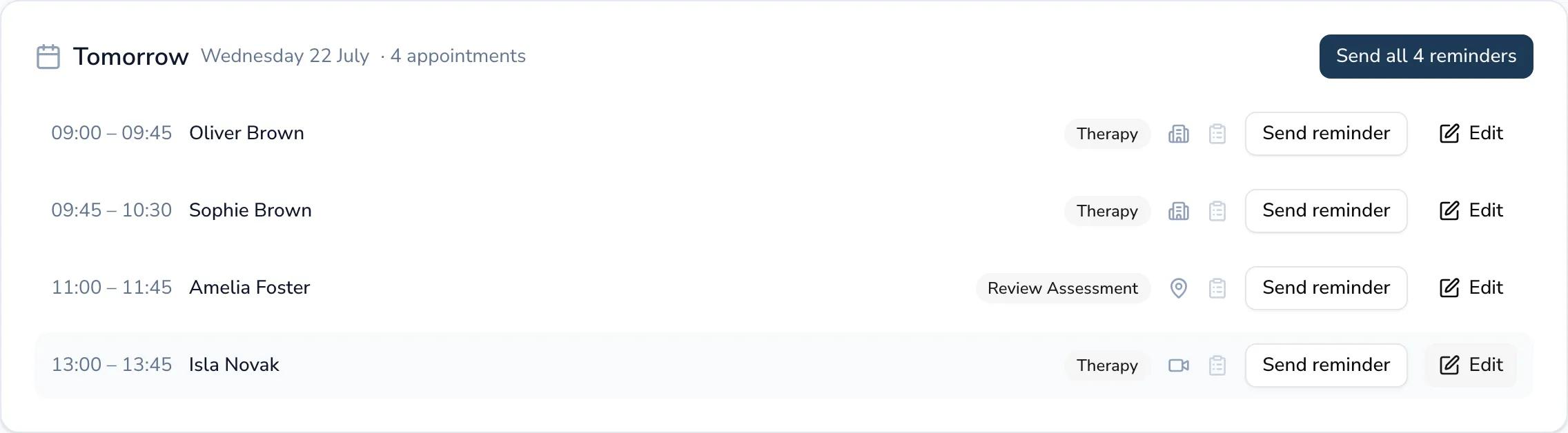
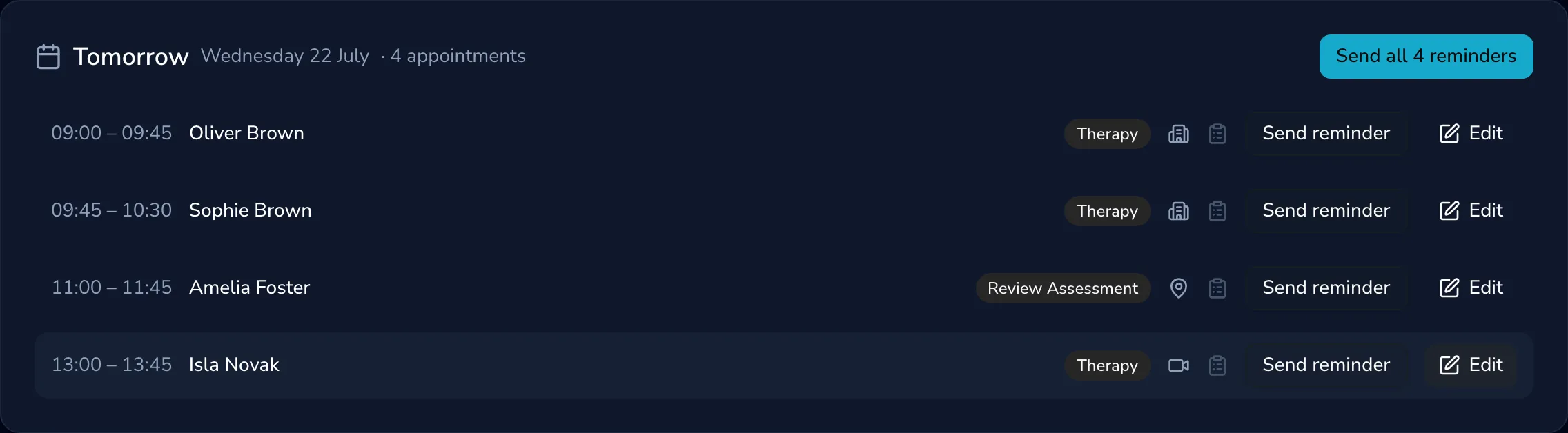
See The Today view.
Helpful emails as you find your feet
Section titled “Helpful emails as you find your feet”Practicos now sends a small, considered set of emails to help you get going — each practical, each sent only when it’s genuinely useful, and never a “we miss you” message:
- A next-step nudge if you’ve been away a while, taking you straight to the right screen.
- A friendly reminder to write up your first session once your first appointment has taken place — it stops as soon as you’ve written a note.
- A well done when your practice is fully set up, with one relevant time-saving tip.
- Colleagues you invite get their own two brief emails (finish your profile; write your first note) — never the practice-setup or billing emails meant for the owner.
Example data never triggers any of these, and each is sent once.
“Getting Started” achievements
Section titled ““Getting Started” achievements”Practicos now quietly marks the first meaningful steps in setting up — your foundations, first client, first appointment, first note, first import, first team member, first invoice and first supervision session — as achievements on your Achievements page. A small marker of real progress, not a scoreboard, and example data never counts.
Before-session flags on Today
Section titled “Before-session flags on Today”If a client on today’s list has no consent recorded or an incomplete case history, their appointment now shows a small amber flag — on the next-appointment card and in the day’s timeline — linking straight to their record, so the “before you see this client” checks happen where you plan your day.
Improved
Section titled “Improved”See exactly what a team or plan change costs
Section titled “See exactly what a team or plan change costs”When you add or remove a practitioner, or change your plan, Practicos now shows the precise amount you’ll be charged or credited and when — pulled live from your billing, before you confirm. Adding someone is billed on your next invoice if you pay monthly, or straight away if you pay annually; removing someone or downgrading is credited to your next invoice, never refunded to your card.
See Managing your subscription.
Email stats you can trust
Section titled “Email stats you can trust”We’ve removed the “open rate” figure and “opened” markers from the Email dashboard, client records and reminder stats. Whether an email was opened is unreliable on modern email apps — many pre-load images automatically, which counts as an “open” even when nobody has read the message — so we now show the signals you can rely on: whether an email was delivered, and whether its links were clicked.
A smarter Today view
Section titled “A smarter Today view”Several refinements to your day-to-day screen:
- The end-of-day preview now shows your next working day — finish on a Thursday with Fridays off and it shows Monday — and skips your booked leave and bank holidays.
- Edit an appointment directly from Today (and tomorrow’s list) without being taken over to the Calendar.
- A more accurate Day Complete summary that counts completed sessions apart from cancellations and no-shows.
- Write notes, open session details and add a session plan straight from the timeline; the greeting now matches the time of day.
Blocking out time applies to you by default
Section titled “Blocking out time applies to you by default”When you block out time on the calendar (annual leave, a personal appointment), it now applies to you rather than the whole practice — so your time off no longer blocks bookings for the rest of your team. If you manage the practice diary, you get an Applies to the whole practice option for closures and bank holidays.
Clearer empty screens throughout
Section titled “Clearer empty screens throughout”When there’s nothing there yet, your clients list, calendar, money and admin pages, and your clinical, professional and communication tools now explain what the area is for and take you straight to the obvious first step — rather than a bare “No records found”.
And more
Section titled “And more”- Clearer help centre — every screen’s guide now opens with what it does for your practice, then breaks down the tools and actions on the page.
- More room on iPad — held in portrait, the left-hand menu tucks away behind a menu button, as it already does on phones.
- A smoother sign-up and first sign-in — password rules shown up front, a one-click sign-in link if your email’s already registered, a calmer single loading moment on first sign-in, and a batch of small setup-wizard polish.
- Clearer Settings menu — messages sent to clients are now distinct from emails you receive, and your Achievements preferences are reachable directly.
- Subscribing to the Growing Practice plan now goes through reliably — checkout no longer fails with a “couldn’t update your plan” message.
- Team invitations are more reliable — you land straight on your dashboard (no “invitation invalid” flash), only the invited person can accept, and a colleague you previously removed can be re-invited and rejoin correctly.
- Subscription payment receipts are sent again, and your renewal and next-payment dates show correctly on the billing screen.
- Dashboards and reports exclude example data — totals, accounting figures and caseload counts now reflect only your real records.
- Access reliably reflects your subscription — a payment edge case could momentarily restore access to a cancelled practice; that’s fixed.
- Appointment times on Today always show in UK time straight away, and the next-working-day preview now handles bank holidays correctly.
- “Unsubscribe from all” now also stops appointment reminders, and unsubscribing from within your email app works every time.